
Keep your existing RSVP system. AFRIREG manages the onsite registration journey.
In most registration projects, our clients manage their own RSVP process. They may already have an RSVP partner or platform in place and may not want to consider an alternative. This is not a problem for AFRIREG. In fact, this is how we work on approximately 90 percent of our onsite registration projects.
The client simply shares an export of their current guest database with us. This allows AFRIREG to replicate the existing database tables, rows and field structure. After the event, the client receives data in the same required format, making it easier to import the completed records back into their own systems.
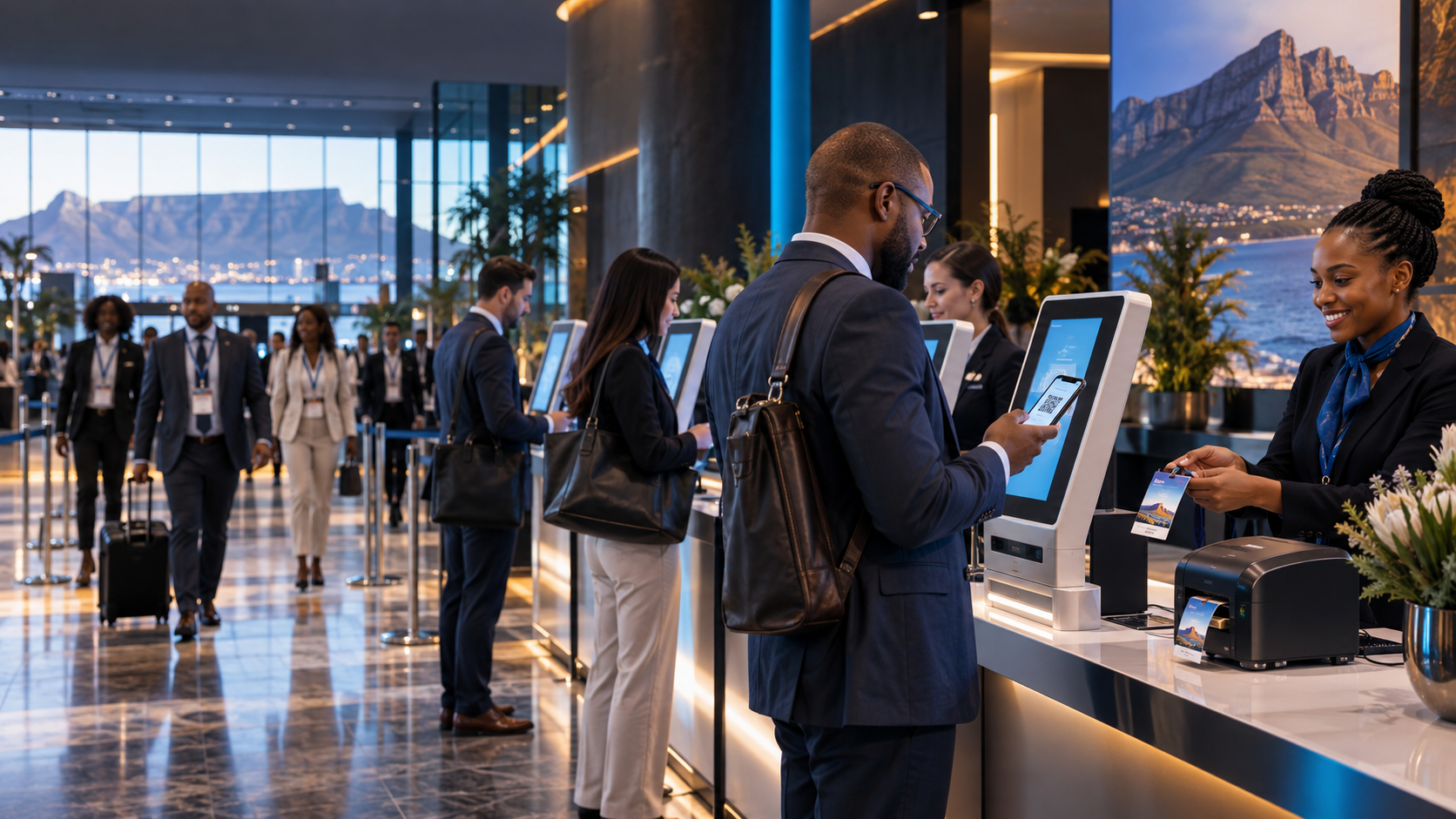
Our registration process is as simple as one, two, three. The guest arrives and searches for their name by entering a few letters, or scans a QR code or barcode. The guest confirms the correct record and a full colour double sided name badge is printed within seconds. Our promotional staff then fold the badge, attach the lanyard and assist the guest, completing the registration process.
AFRIREG also provides an option for guest walk ins. When a guest is not on the approved guest list, they can complete a registration form that matches the client’s backend database table fields exactly. This supports accurate post event data management. Walk in registration can also be restricted by a passcode, allowing a senior team member to approve or decline access before the guest is added.
The client receives access to a live administration dashboard website that is responsive and optimised for phones, tablets, all screen sizes, Windows laptops and Mac computers. It displays the complete loaded guest list, total attendance, attendance from the original guest list, walk in numbers, completed badge prints, guest traffic per hour and other live statistics. Event managers and organisers can use this information to make quick onsite decisions while the event is running.
After the event, the client receives a complete Excel spreadsheet and CSV export in the required formats, including the full registration data and relevant timestamps.
Event data is then removed from the AFRIREG system in accordance with the agreed retention process and the requirements of South Africa’s Protection of Personal Information Act.
Search or scan
The guest searches by name or scans their unique QR code or barcode.
Confirm the guest
The guest confirms the correct record and any approved onsite details.
Print the badge
The full colour double sided name badge prints in seconds and our team attaches the lanyard.
Scan or search for a guest, then print their name badge
Fast track invited guests by scanning a unique QR code or barcode, or search for the guest by entering a few letters of their name. Once the guest confirms their record, their full colour double sided name badge is printed in seconds.
Manage change in real time
Add walk ins, correct details and replace lost credentials without splitting the guest record across disconnected lists.
Operate with resilience
Local and offline capable approaches can be configured for venues where connectivity is uncertain. Our technicians monitor devices, printers and guest flow onsite.
Designing the registration zone around peak arrival
A successful onsite registration plan starts with the busiest arrival period, not only the total guest count. AFRIREG reviews the programme start time, entrance width, transport schedule, guest categories and expected walk in volume before recommending kiosks, scanners, printers and staffing. This allows the registration area to absorb a concentrated rush without making the venue entrance feel crowded or disorganised.
The physical layout matters as much as the software. Fast track guests need a clear route, guests requiring help need a visible assistance point, and badge collection must not block the next person checking in. We coordinate equipment positions, power, networking, signage and queue direction so the entire arrival area operates as one system.
Staffed check in, self service and exception handling
Different audiences need different levels of assistance. A corporate conference may benefit from touchscreen self service, while a formal function may require trained hosts to welcome each guest personally. AFRIREG can combine QR scanning, name search, staffed counters and dedicated exception handling in the same registration plan.
The exception desk protects the speed of the main queue. Name corrections, duplicate records, guest substitutions, missing invitations and access questions can be resolved without holding up correctly registered guests. Every approved update remains connected to the live guest record and the final attendance report.
Onsite resilience and technical support
Live events need a practical contingency plan. AFRIREG assesses venue connectivity, local network options, backup data access, spare devices, printer redundancy and power requirements before installation. Where appropriate, local or offline capable workflows can keep critical registration functions available when external internet service is unreliable.
Our technical team sets up, tests and monitors the equipment onsite. Device health, print queues, database status and guest flow are watched throughout the arrival window. This gives organisers one accountable team for the technology and the people operating it.
From arrival data to a useful event record
Every successful check in can create a timestamped attendance record. Organisers can see current arrivals, outstanding guests, walk ins and guest category totals while the event is running. When multiple entrances or registration points are used, the data can still feed one coordinated view.
After the event, AFRIREG prepares practical attendance exports for follow up, reconciliation and future planning. Arrival times help identify peak demand, while exception notes and reprint activity show where the next event journey can be improved.
Frequently asked questions
How many registration stations do I need?
It depends on the peak arrival window, scan and print time, walk in percentage, entrance width and guest categories. We model this during quoting. As a practical planning guideline, we normally recommend one touchscreen registration kiosk for every 50 guests when most attendees are expected to arrive during a concentrated morning rush of approximately 30 minutes before the event or conference begins. This capacity helps process guests quickly and minimise queues. Where there are no tight time constraints and the arrival window is more flexible, one registration kiosk setup for every 75 guests may be suitable. AFRIREG confirms the final quantity after reviewing the venue flow, badge printing requirements and complete arrival plan.
Can guests register at the event?
Yes. Walk in capture can follow the same validation, consent, badge and reporting rules as pre registered guests.
What happens if the venue internet is unreliable?
We can recommend local or offline ready architecture and backup connectivity appropriate to the event.